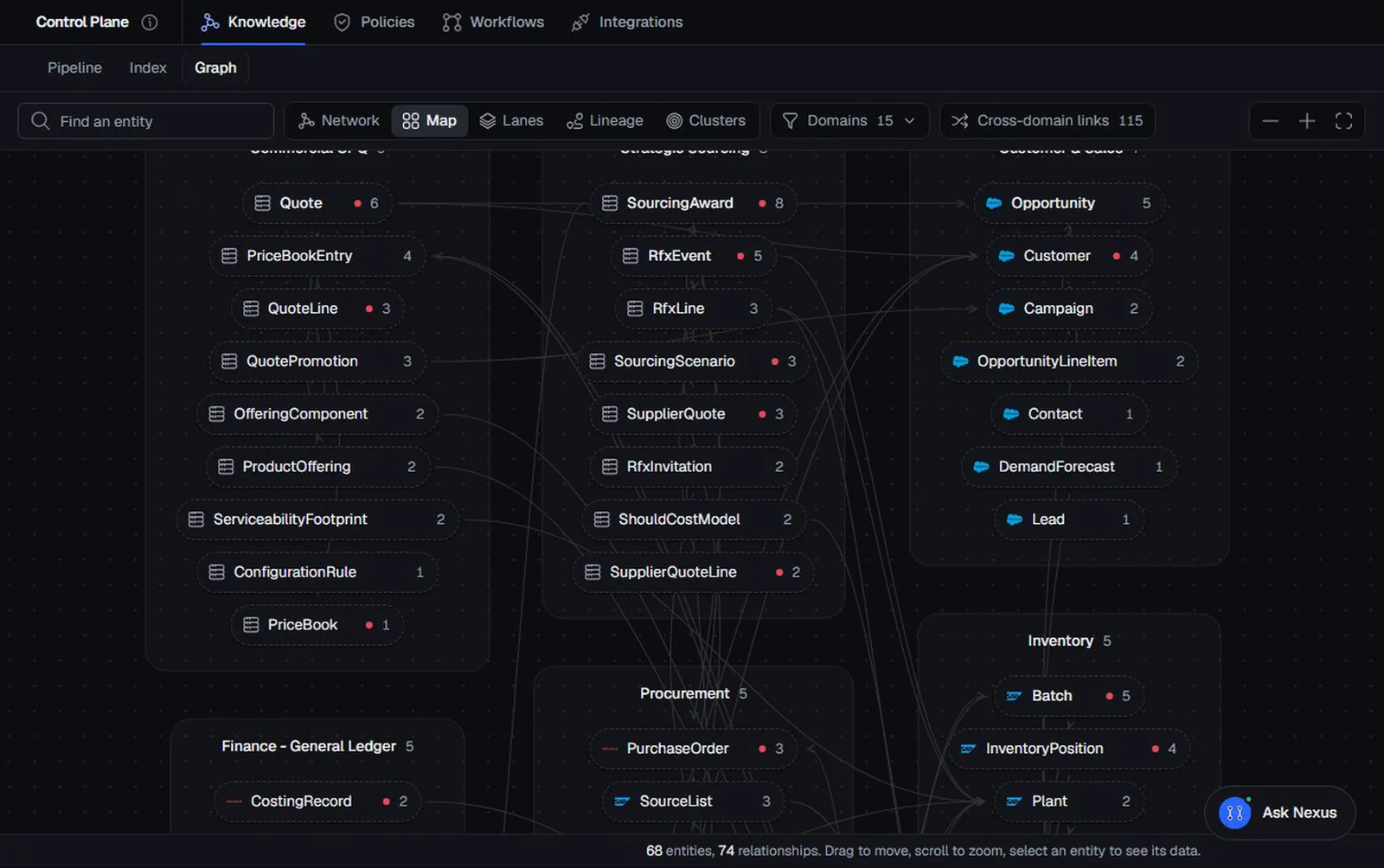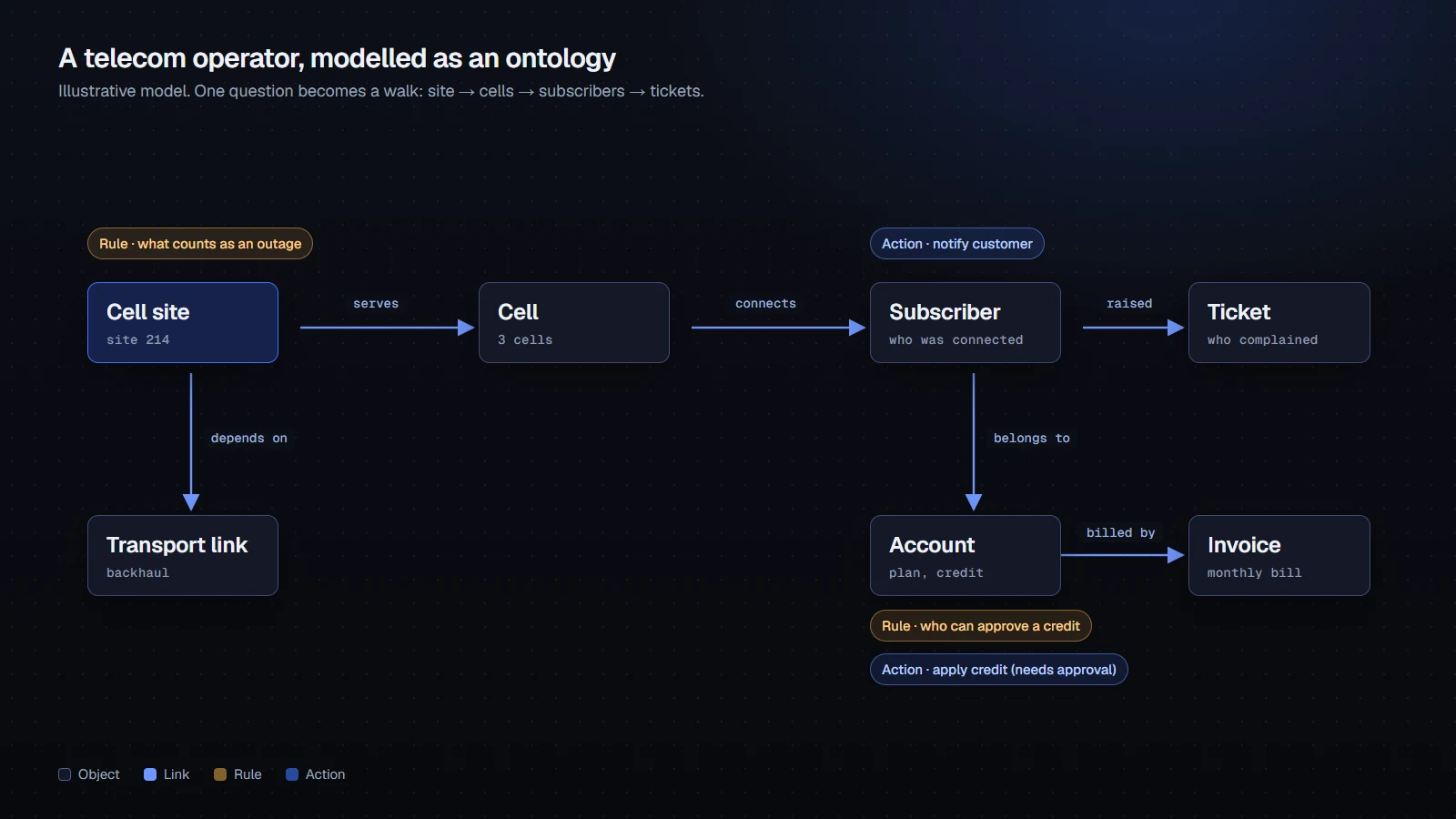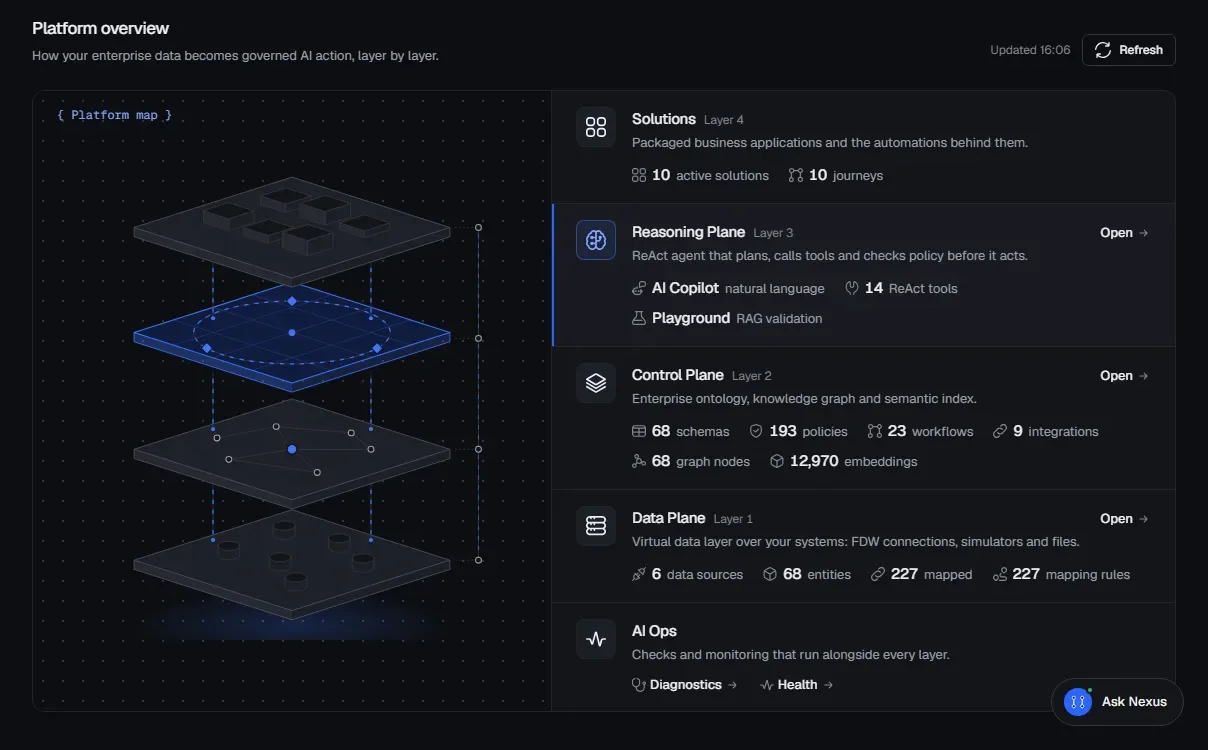
Picture a finance manager looking at an AI tool. Someone has asked it whether a customer’s credit limit can be raised, and it has answered “yes”.
She asks one question: “Based on what?”
If nobody can tell her, the conversation is over. The answer might well be right. It doesn’t matter. She isn’t going to sign off on a credit change because a chat box said yes, and she is correct not to.
I have spent more than 12 years designing products, and if that work has taught me one thing about trust, it’s this: people trust what they can see. An AI that sounds smart is easy to ignore. An AI whose answer you can check in a few seconds gets used.
So in NexusAI we stopped asking “is the answer good?” and started asking “can someone check it quickly?” That changed what an answer looks like. It now has four parts.
Part 1: The answer, in plain language
This sounds obvious, but a lot of AI answers fail here. They are long, hedged and full of filler.
A useful answer leads with one clear recommendation. “Yes, with approval.” “Two suppliers are at high risk.” “Not in full: two lines can ship today, one tomorrow.”
Everything else on the screen exists to support that one line. If the recommendation is buried in the fourth paragraph, the person reading it has already lost confidence.
Part 2: The tools it used
The second thing people want to know is where the answer came from. Which systems did the AI look at? Did it actually check the ERP, or did it guess?
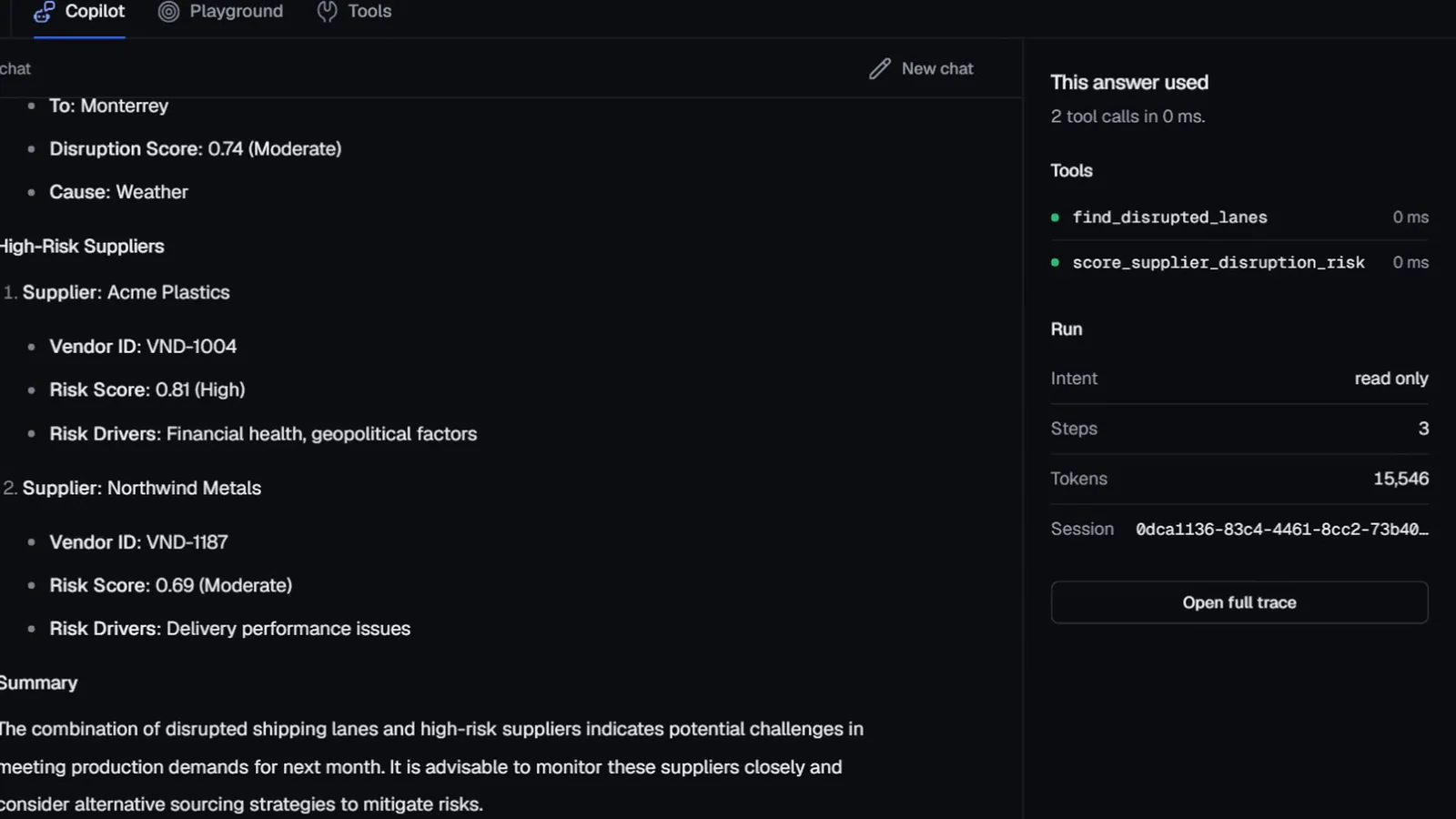
In the example above, someone asked which suppliers are putting next month’s production at risk. The answer lists the disrupted shipping lanes and the high-risk suppliers. Next to it, the panel shows exactly which tools ran, how many steps the run took and that it only read data. It didn’t change anything.
That last detail matters more than you might think. When people know an AI only looked at the data, they relax. When it’s going to change something, they want to know before it happens, which brings us to the next two parts.
Part 3: The policies it checked
Every company has rules. Credit limits. Discount bands. Who can approve a purchase order. Changes that are frozen during month-end close.
A trusted answer names the rules it applied. Not “according to company policy”, but the actual policy, by name, so the reader can open it.
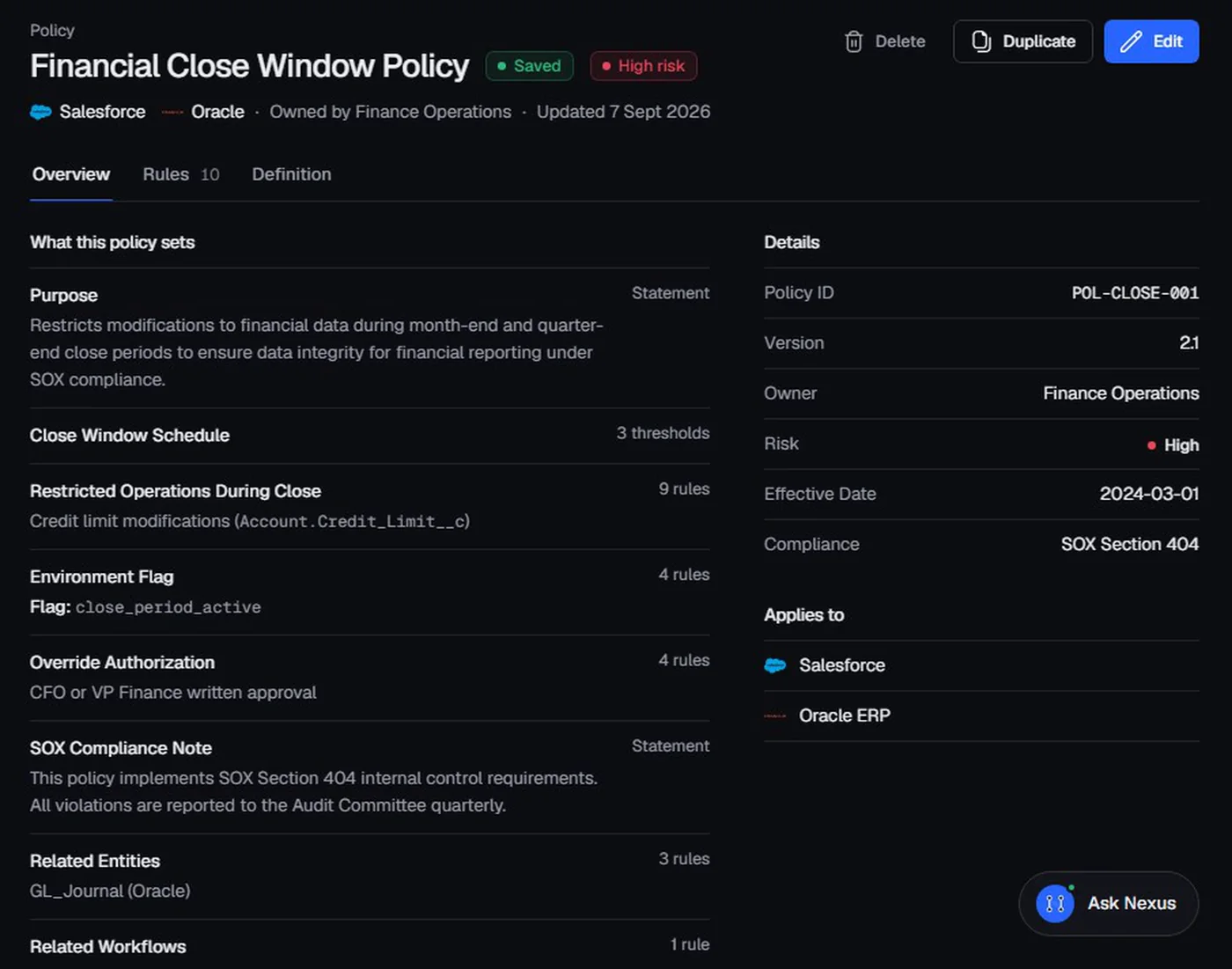
In NexusAI, policies are written down in the platform with an owner, a risk level and the systems they cover. When an answer depends on one, the reader can see which one and read it themselves. That turns a debate about whether the AI understood the rules into a two-second check.
Part 4: The next workflow
The fourth part is the one most AI tools leave out entirely: what happens next.
If the answer is “yes, with approval”, whose approval? How long do they have? What happens after they approve?
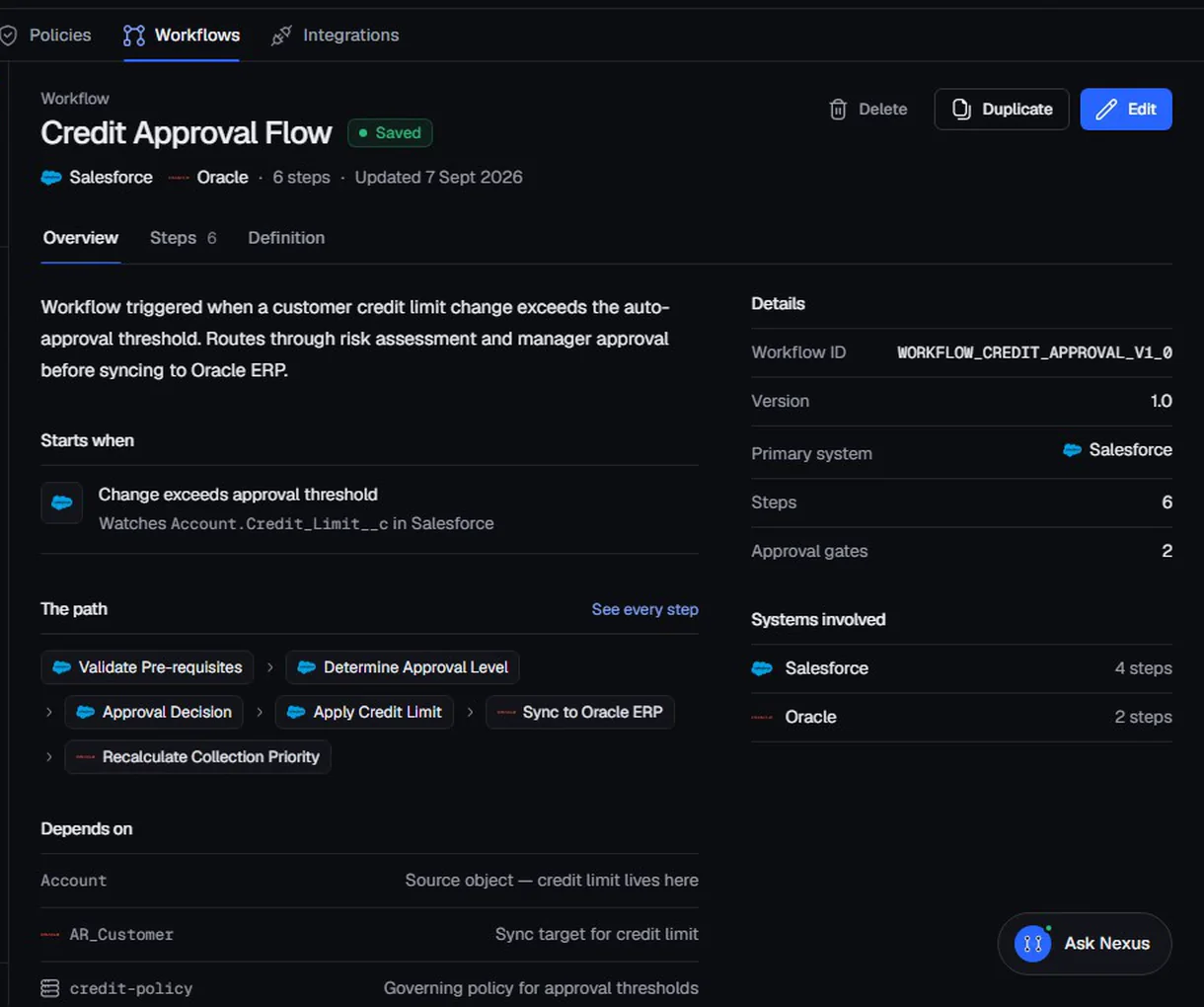
Here is the credit approval workflow from our practice environment. It starts when a credit limit change goes over the auto-approval threshold, runs through six steps and has two approval gates. When an answer points to this workflow, the finance manager knows exactly what will happen if she says yes, and that nothing happens until she does.
The same rule applies to actions
Answers are half the story. As soon as AI starts doing things, such as sending reminders, escalating cases or placing holds, the question changes from “based on what?” to “what did it actually do?”
The way through is a record.
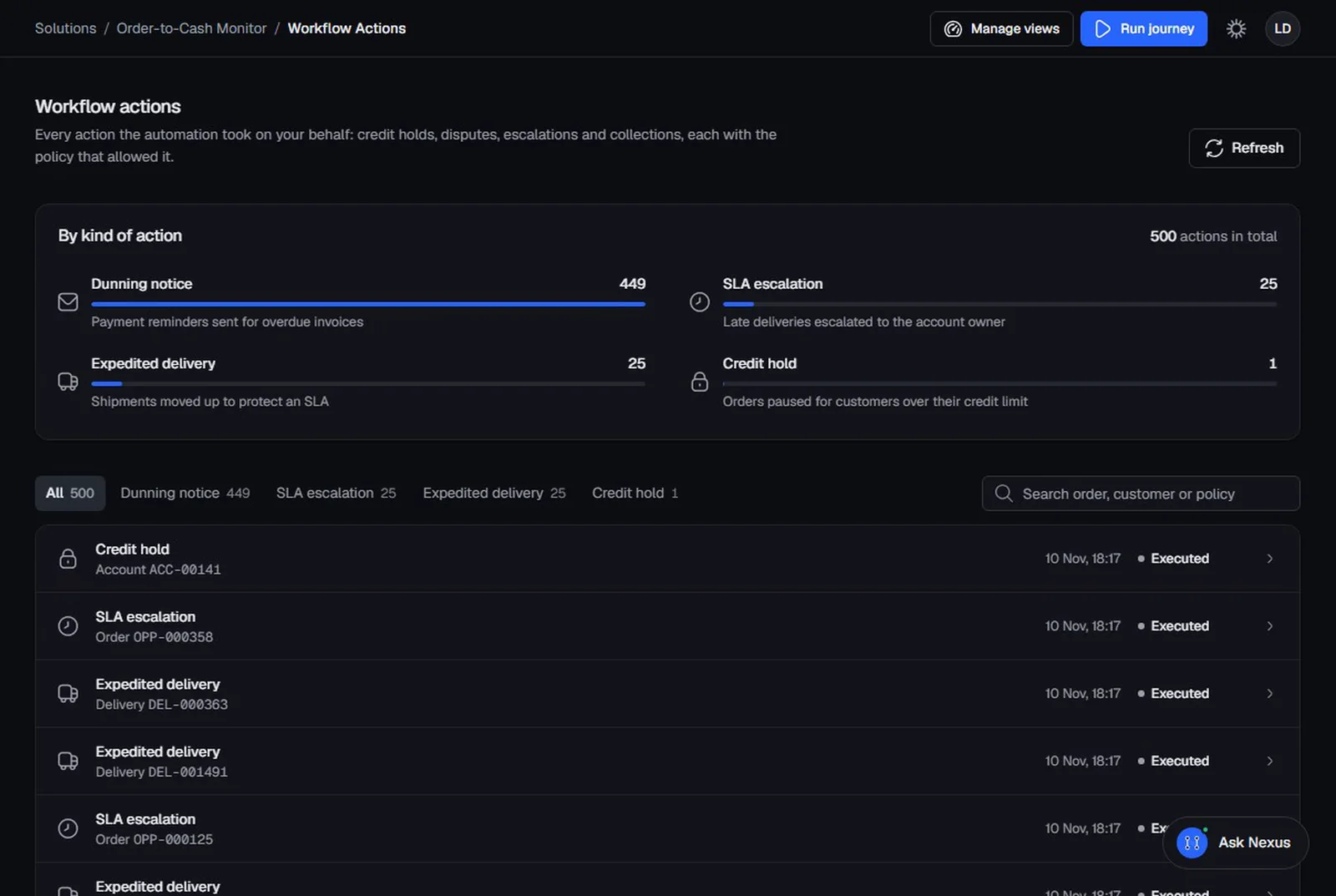
This screen lists every action our order-to-cash automation took: 449 payment reminders, 25 escalations, 25 expedited deliveries and one credit hold, each with the time it ran. A finance lead doesn’t have to take anyone’s word for it. They can open the list and check.
In my experience, trust in automation isn’t won in the demo. It’s won the first time someone asks “why did this happen?” and gets a clear answer in seconds.
Audit is a user experience too
There is one more person to design for, and most AI products forget about them: the person who arrives six months later.
It might be an auditor. It might be a customer on the phone asking why their account is on hold. It might be a new finance lead trying to understand a decision made before they joined. Whoever it is, they usually arrive under pressure, and the worst answer they can get is “the system did it automatically”.
As a product designer, I treat that moment as a user experience in its own right. When an automation runs in NexusAI, each step is visible: what it read, what it found and what it handed to the next step. When it takes an action, the action is recorded with the policy behind it. So the answer to “why is my account on hold?” isn’t “the system”. It’s the step, the data it found and the rule it applied.
If you can’t replay an automation, you can’t defend it.
Four mistakes I see often
When teams try to make AI answers trustworthy, a few patterns come up again and again. Each one feels helpful and isn’t.
- A confidence score instead of sources. “92% confident” tells the reader nothing they can check. A list of the systems and records used tells them everything.
- A wall of reasoning. Some tools dump the model’s full chain of thought on the screen. Nobody reads it. Show the steps that matter, the tools and the rules, and keep the rest one click away.
- Hiding whether anything changed. The single most reassuring line on our screen is “read only”. If an answer changed data, or is about to, the reader needs to know that first, not last.
- Rules described, not named. “According to company policy” invites an argument. “Financial Close Window Policy” ends one, because anyone can open it.
A quick test for your own AI tools
If you’re evaluating an AI product, or reviewing one you already use, try this. Pick an answer it gave and ask four questions:
- Can I find the recommendation in the first line?
- Can I see which systems it read?
- Can I see which company rules it applied, by name?
- Do I know what happens next, and who has to approve it?
If any answer is “no”, that’s where people will stop trusting it. Not because the AI is wrong, but because checking it costs more than doing the work by hand.
A smart answer isn’t enough. It has to be easy to check.
If you’d like to see these four parts on real screens, our two-minute product tour walks through them, or you can request a demo on your own questions.
Frequently asked questions
Why don’t employees trust AI answers?
Usually because they can’t see where the answer came from. Without the sources, the rules that were applied and the next step, a finance or operations lead has to redo the work to check it, so they don’t use it.
What should an enterprise AI answer show?
Four things. A plain recommendation, the tools and systems it used, the company policies it checked, and the workflow that happens next, including who has to approve.
Does showing all this slow people down?
It usually does the opposite. People spend less time checking an answer when the evidence is on the same screen.
What about automated actions, not just answers?
The same principle applies. Every action an AI or automation takes should be recorded with the time it ran and the rule that allowed it, so anyone can see what happened later.