If you’ve sat through a few AI presentations recently, you’ve probably heard the word “ontology”. It sounds academic. It isn’t.
Here’s the shortest useful definition we know:
An enterprise ontology is your business, written down precisely enough for software and AI to work from it.
If you can draw your business on a whiteboard, you already have the start of one. This guide explains the rest in plain English.
The whiteboard test
Ask any leader to explain their business and they’ll go to the whiteboard. Customers here. Orders there. Invoices at the end. Arrows between them. Then they’ll say “but only if…” and add a rule.
That drawing has everything an ontology needs. The trouble is that it lives on a whiteboard, or in a few people’s heads. Your systems don’t know about it. Your CRM knows about customers, your ERP knows about orders and invoices, and nothing knows how they fit together the way the business actually thinks about it.
An ontology takes that drawing and makes it precise, consistent and connected to the systems where the data lives.
The four parts
Every enterprise ontology comes down to four parts.
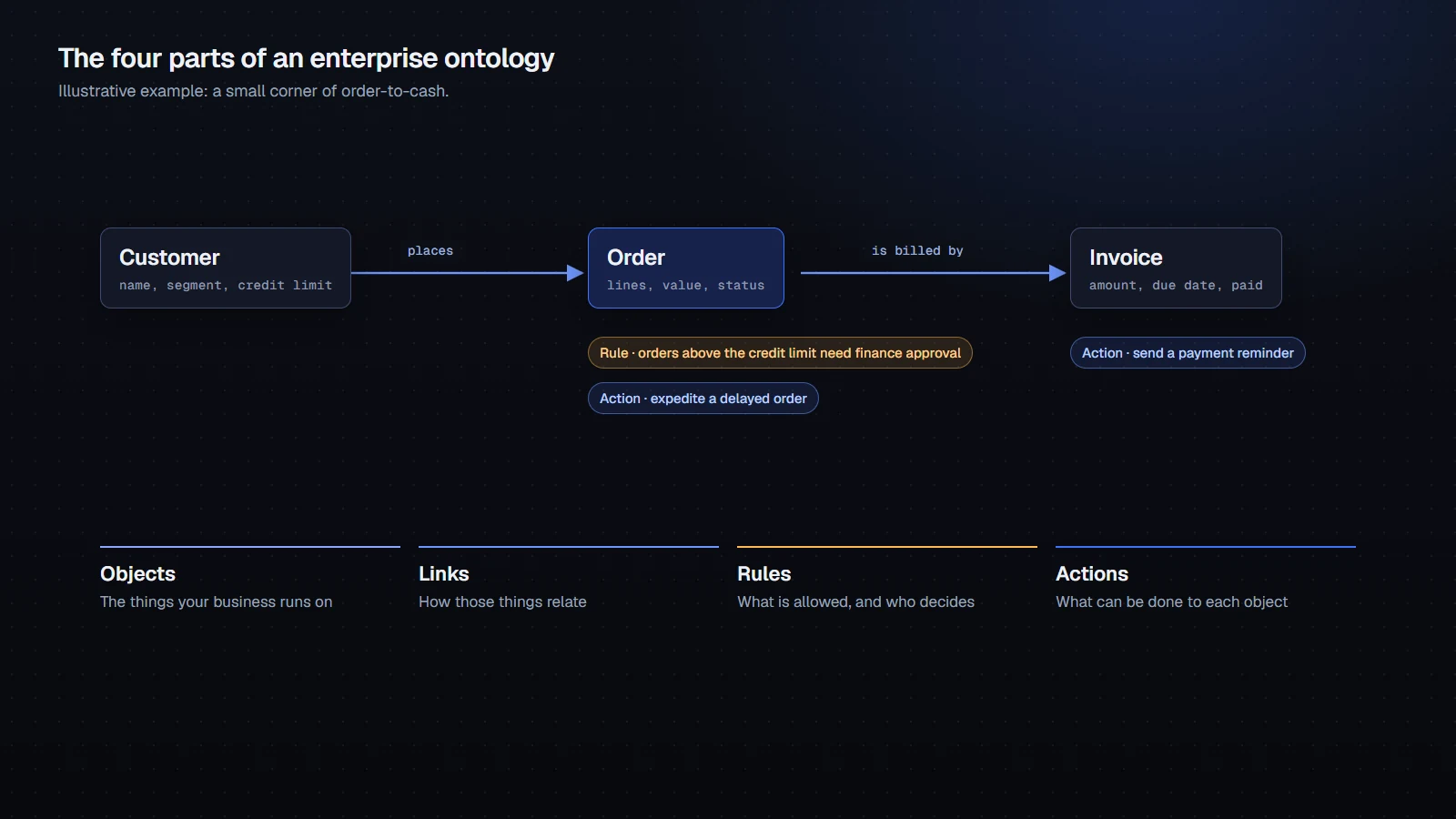
Objects are the things your business runs on: customer, order, invoice, product, supplier, cell site. Each one has properties, such as a customer’s name, segment and credit limit.
Links are how those things relate. A customer places an order. An order is billed by an invoice. A supplier provides a part. Links are what let you answer questions that cross departments.
Rules are what’s allowed and who decides. “Orders above the credit limit need finance approval.” “No changes to financial data during month-end close.” Rules live on the objects they govern.
Actions are what can be done to each object. Send a payment reminder. Expedite a delayed order. Place a credit hold. Actions are where AI goes from answering to doing, which is why they need to be defined carefully.
What it looks like in practice
On a whiteboard, an ontology is a handful of boxes. In a real business, it grows to dozens or hundreds of objects.
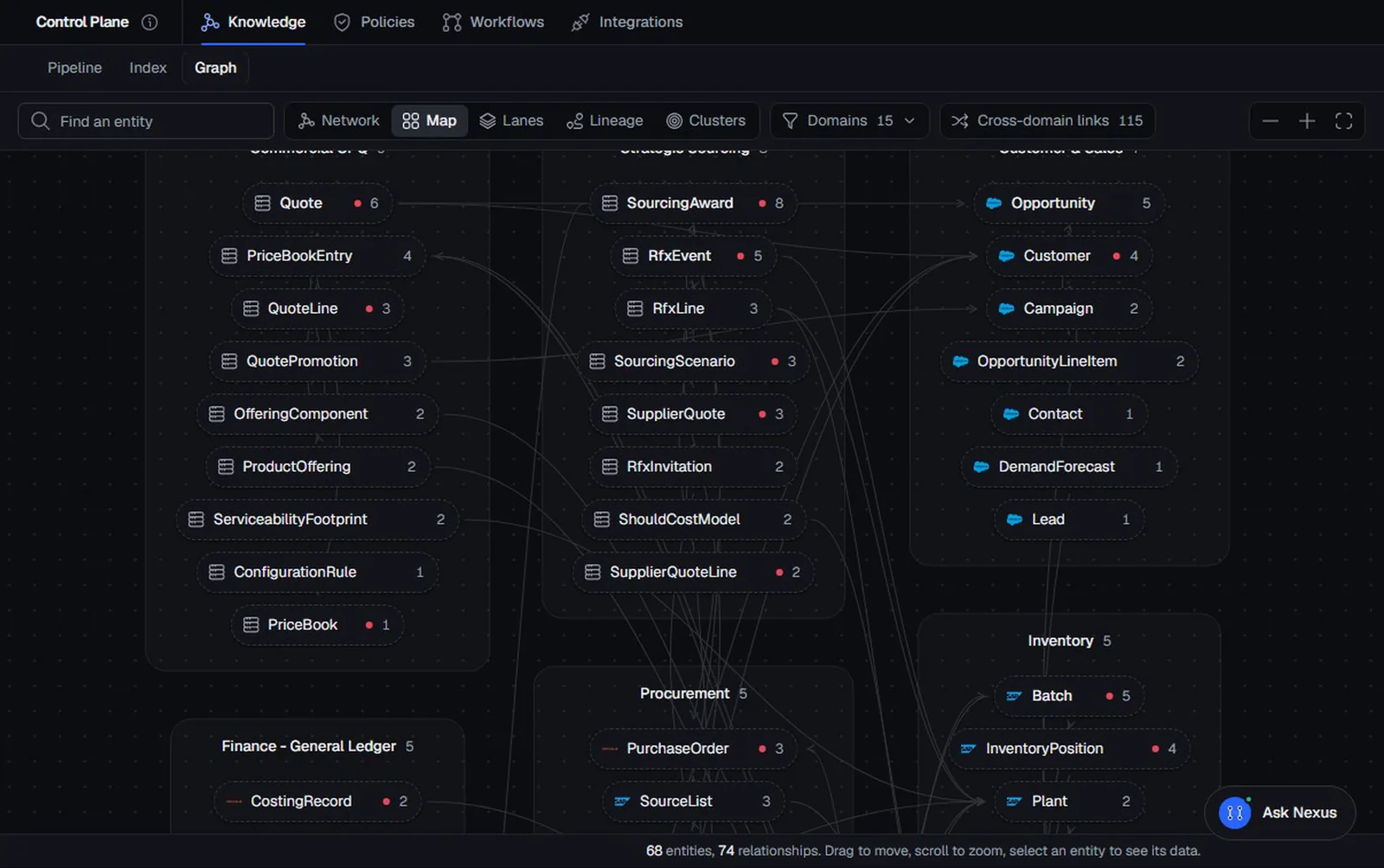
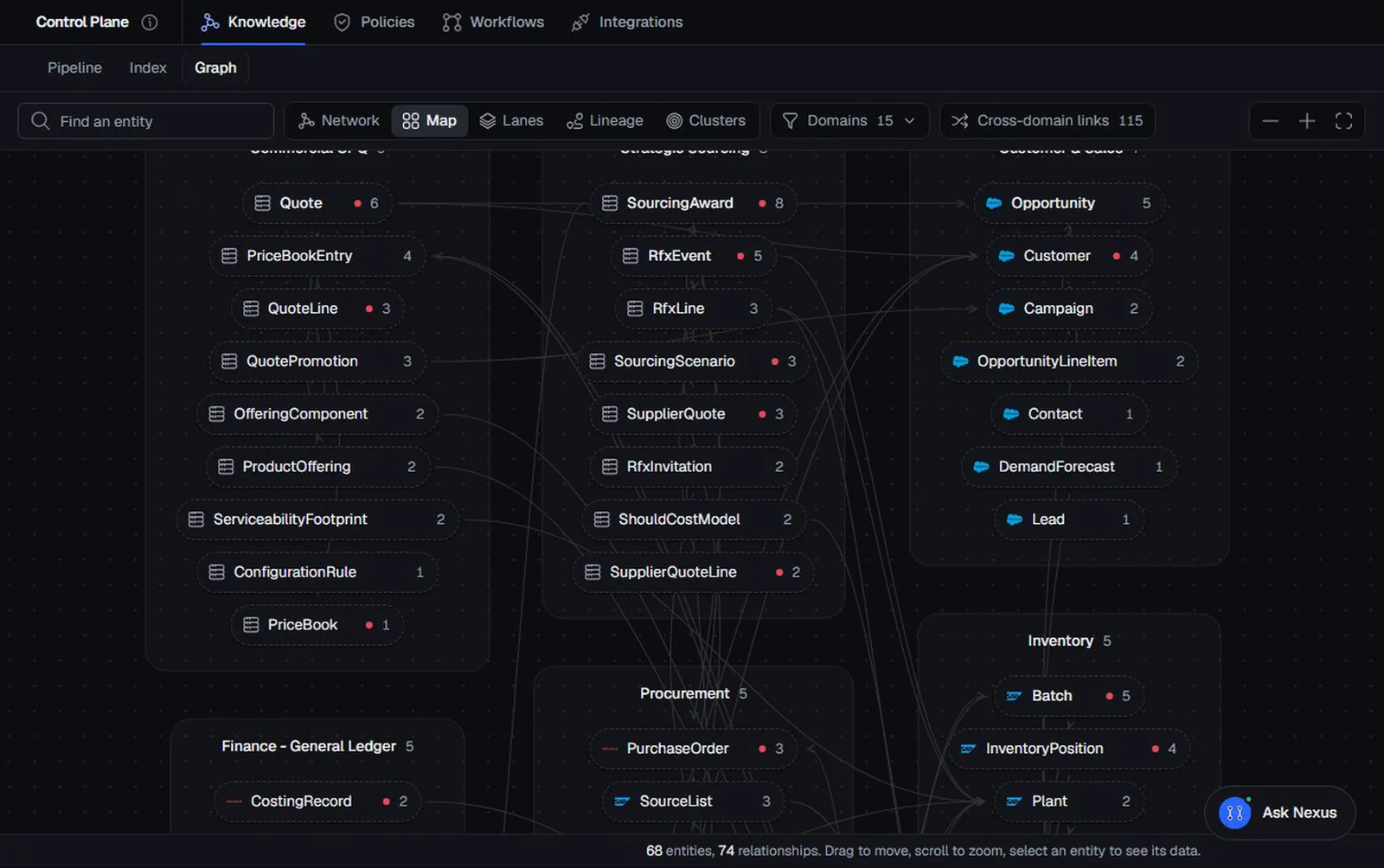
The screen above shows the knowledge graph of the practice enterprise we use for demonstrations: 68 objects and 74 relationships across 15 business domains, from commercial quoting to procurement and inventory. Nobody drew all of that at once. It grew one question at a time.
Each object in that graph is described in detail: what it means, which system each property comes from, and how it links to the rest.
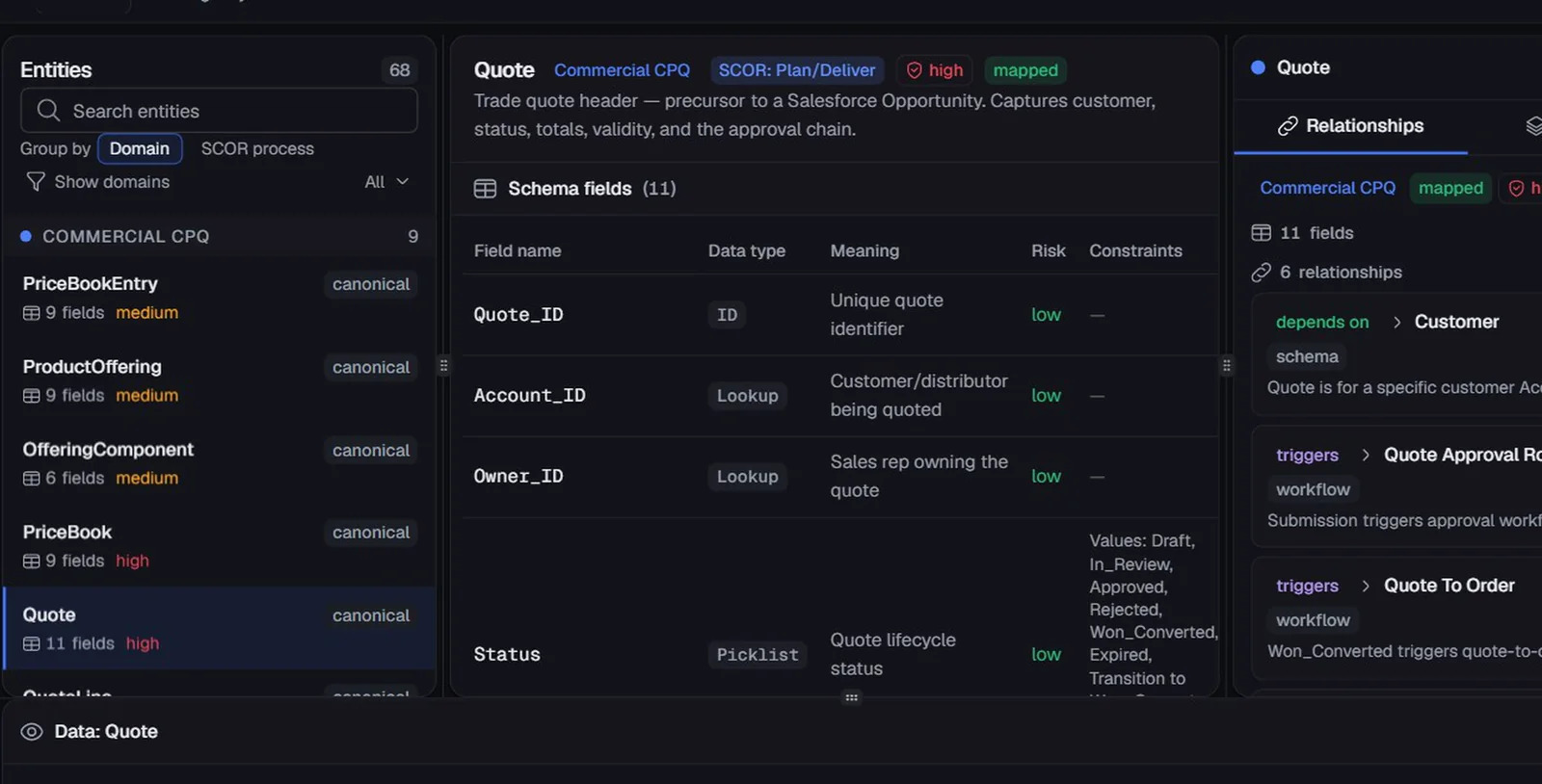
That tracing matters more than it sounds. When anyone, or any AI, asks “where did this number come from?”, the answer is one click away.
Ontology, knowledge graph, data warehouse: what’s the difference?
These terms get mixed up a lot, so here’s how they relate.
- An ontology is the model: the types of things, how they connect, the rules and the actions.
- A knowledge graph is that model filled in with your actual records. “Customer” is part of the ontology. “Customer ACC-00638” is part of the knowledge graph.
- A data warehouse stores copies of data for reporting and analysis. It is very good at that. It doesn’t usually describe what the data means or which rules apply.
You don’t have to choose between them. In NexusAI, the data stays in the systems it came from, and the ontology sits on top describing what it means and how it connects. Tables are good at storing facts. A graph is good at answering how facts connect. You get both.
Why AI needs an ontology
Large AI models know a lot about the world and nothing about your business. Ask one about your customers or your credit policy and it will still answer, fluently and confidently, by guessing.
An ontology changes that in four ways:
- Answers come from your facts. The AI fetches real records by following the links, instead of making something plausible up.
- Rules are read, not remembered. The AI checks the actual policy on the object every time.
- Actions are limited to what you allow. If an action isn’t defined, the AI can’t take it.
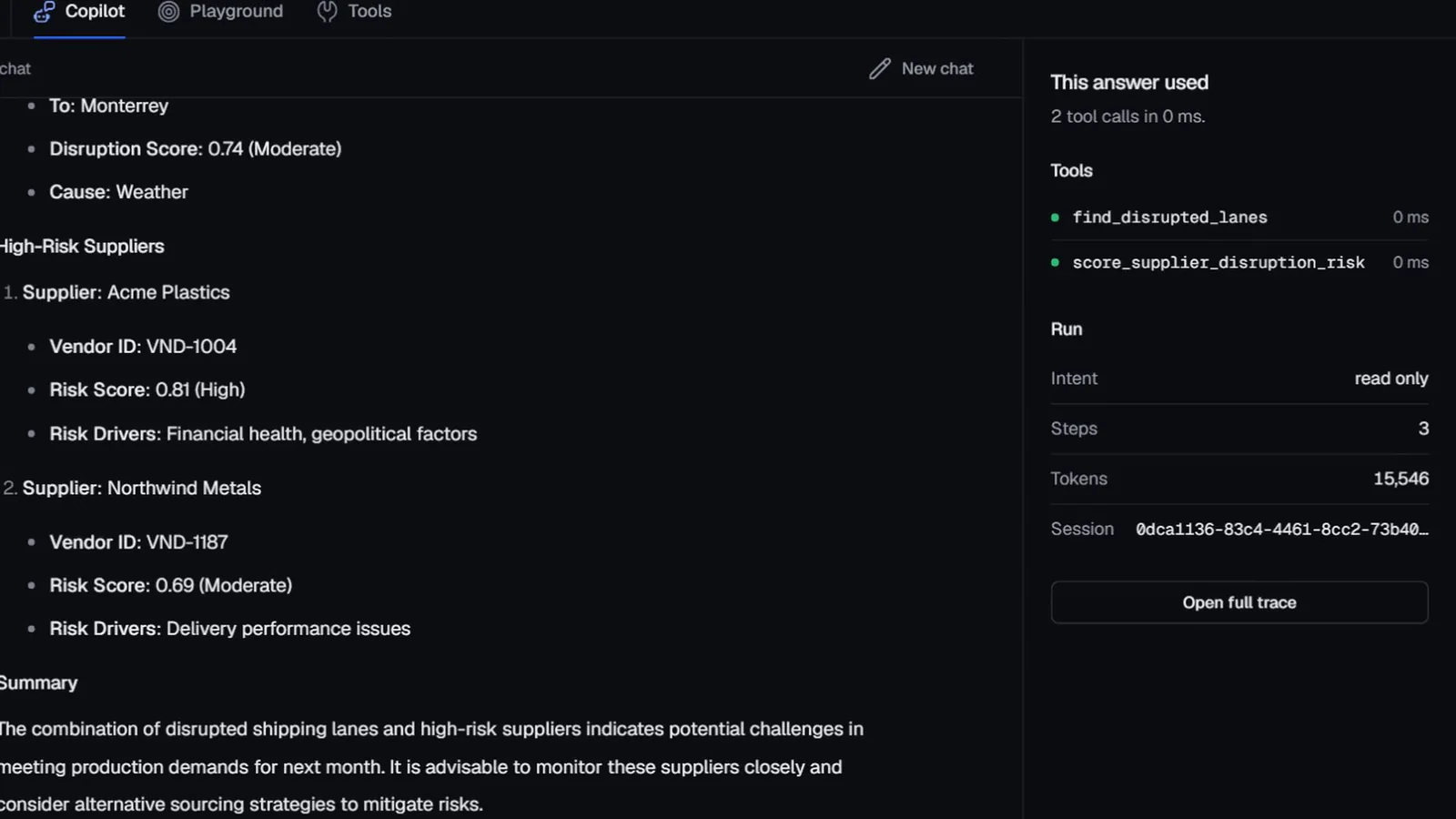
- Every answer can be traced. Back to the records and rules it used.
There’s a useful side effect too. When the knowledge lives in the ontology, the model’s job is mostly language. A smaller model can do that well, which means it can run inside your own environment.
Our CEO, Papu Bhattacharya, explains this idea in more depth in why enterprises need a second brain, not a bigger model.
Rules are part of the model
One last point that is easy to miss. In many companies, rules live in four places: a policy PDF, a wiki, some code, and one person’s head. AI can’t read the last one, and it can’t tell which of the other three is current.
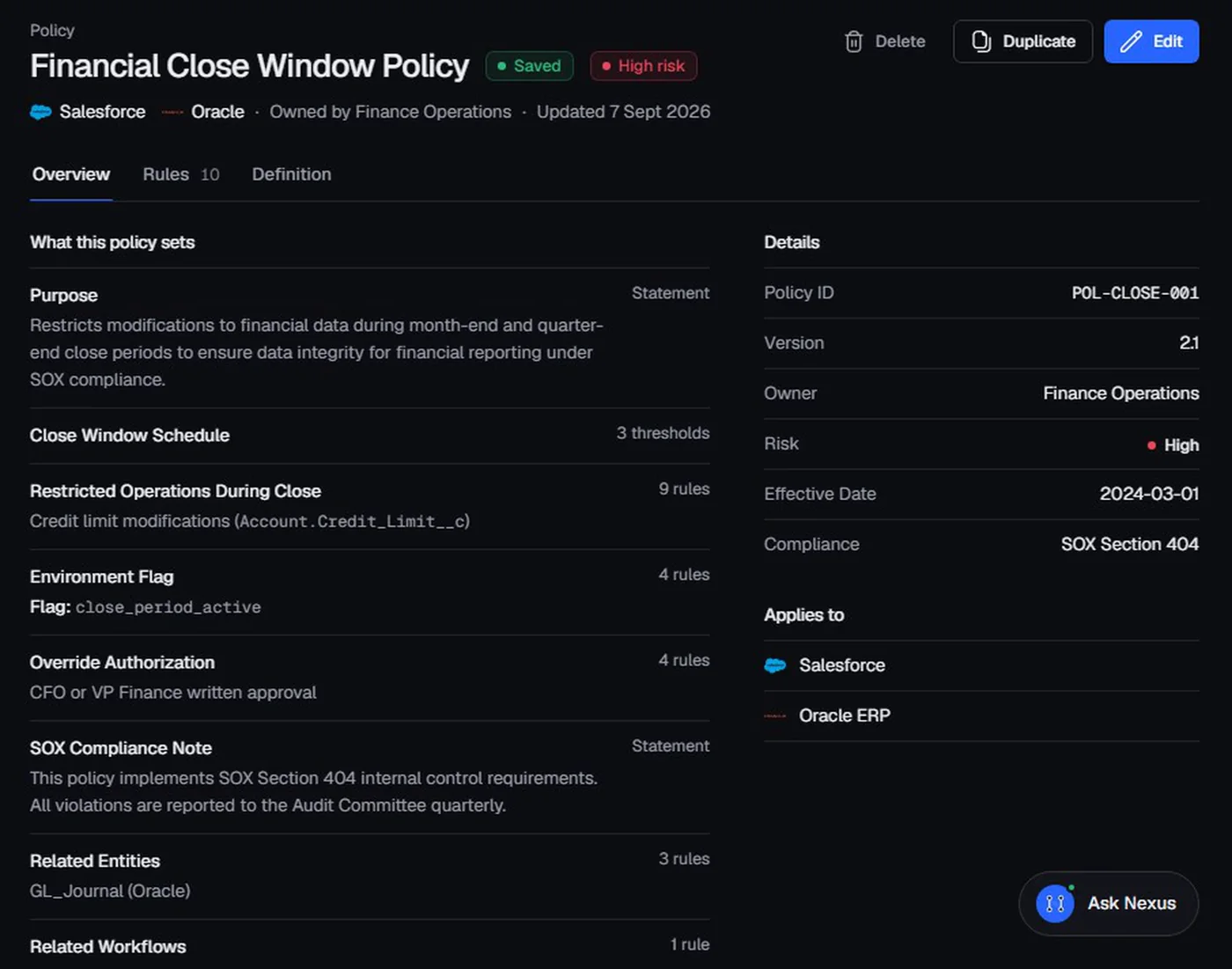
In an ontology, rules are written once, attached to the objects they govern, and owned by a named team. The AI checks them every time it acts, and an auditor can read them without reading code.
How to start
You don’t need a two-year programme. Start small:
- Pick one question that takes far too long to answer today.
- Draw the objects it involves, usually five to ten, and how they link.
- Write down the two or three rules that apply, with an owner for each.
- Decide which actions are allowed, and which need a person’s approval.
Do that once and the second question is cheaper than the first, because most of the model already exists.
For a worked example, read Jasmin Makasana’s guide to “modelling a telecom operator as an ontology” (coming soon), or see an ontology on real screens in our product tour.
Frequently asked questions
What is an enterprise ontology in simple terms?
A precise description of how your business works: the things it runs on, how they relate, the rules that apply and the actions that are allowed, written so that software and AI can use it, not just people.
Is an ontology the same as a knowledge graph?
They are closely related. The ontology is the model, the description of the types of things and how they connect. A knowledge graph is that model filled in with your real records, so you can walk from one fact to the next.
Is an ontology the same as a data warehouse?
No. A data warehouse stores copies of data for reporting. An ontology describes what the data means and how it connects, and can read the data where it already lives without copying it.
Why does AI need an ontology?
Without one, an AI has to guess how your business works from its general training. With one, it can fetch your real facts, follow your real rules and only take the actions you allow, and it can show where each answer came from.
Do we need to model the whole company at once?
No. Start with one process and the five to ten objects it involves. The model grows one question at a time.